

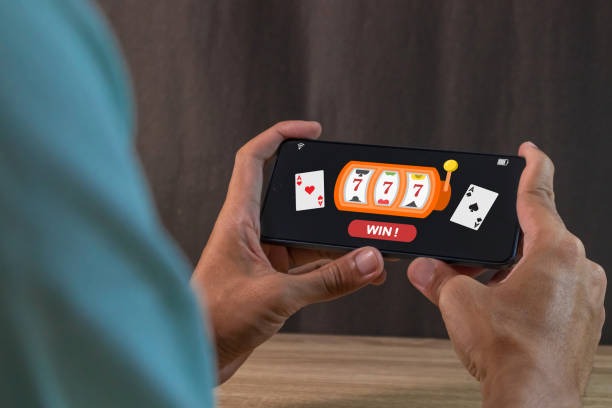

Casino lobby
Browse slots, live tables and fishing rooms from one category menu. Search is placed close to the game tiles, helping you locate Speed Baccarat, rocket196, bingos or superfishing without scanning unrelated content.

istanastar puts Speed Baccarat, slots, live tables and football markets behind one account, with DANA and QRIS visible beside the cashier path.
Access is available only where local law permits.
Casino and slots sit in the same searchable lobby, with live baccarat, roulette and blackjack positioned beside reel and fishing categories.
Casino rooms come first, followed by live tables, fishing titles and sportsbook markets arranged for quick switching on a mobile screen.
Pragmatic Play, PG Soft and Habanero are joined by familiar regional studios, giving you distinct slot formats and table styles within one searchable lobby.
DANA and QRIS give you recognisable routes without wallet guesswork, while OVO and GoPay appear with their current cashier status.
The home page points you toward areas that answer practical account questions before you commit funds.
Browse slots, live tables and fishing rooms from one category menu. Search is placed close to the game tiles, helping you locate Speed Baccarat, rocket196, bingos or superfishing without scanning unrelated content.

Open football, badminton and basketball markets from the sportsbook area. Market availability and account access depend on local law, with the same account menu used to return to casino rooms.
Check whether DANA, OVO, GoPay or QRIS is available before starting a transaction. The cashier shows the selected route and its current status beside your account details.
See the phone verification step that comes before account access. Using matching personal, wallet and bank details reduces avoidable questions when a withdrawal requires an identity or receipt check.
A clear account route saves you from guessing which screen comes next. Start with your phone details, complete the verification prompt, and enter the lobby through…
Choose the account option from our home page, enter the requested phone details, and complete the verification prompt. Once access is confirmed, we show your cashier, casino lobby and sportsbook under the same account menu.
Use accurate account and contact details from the first step. Matching details help us handle wallet status checks and withdrawal verification without sending you back through avoidable correction screens.
Your lobby includes slots, Speed Baccarat, live baccarat and roulette, Dragon Tiger, blackjack, fishing rooms, plus football, badminton and basketball markets where local law permits.
Complete phone verification before entering your account and keep your access details private. If a login prompt or wallet status looks unfamiliar, stop and contact our help team through the home page.
Help is placed close to the account and cashier routes because those are where practical questions usually begin. Use live chat for an active login prompt or wallet status issue, email when you need to attach transaction details, and the mobile help panel when navigating from a smaller screen. Current service hours are shown in the help panel rather than stated as a fixed schedule here. For payment checks, keep the receipt, selected rail and account details ready.
Start live chat from the help panel when your login route or wallet status stalls. The panel displays current availability, and sharing the exact screen or status message helps us identify the next check.
Use email when a receipt or longer account explanation is needed. Include the payment rail, transaction reference and relevant account details, but never send your password or private access code.
Open the help panel from the mobile menu without leaving the account route. It keeps chat and contact options near the cashier, game search and wallet status screens.
Your phone browser carries one route from account access to game search, cashier status and support.
Phone verification creates a clear checkpoint before your account opens. Keep your access details private, confirm that the account name matches your chosen wallet or bank…
The browser layout keeps account access, game search, cashier status and help within one compact menu. You can move from login to the lobby without installing a separate mobile product.
We place phone verification before account access so the route has a clear identity checkpoint. Enter accurate contact details and complete the prompt shown on your account screen.
Use wallet and bank details that match your account name. This gives us a consistent reference when checking a receipt, transaction status or withdrawal verification request.
Each category directs you to the relevant rules, table details or paytable. Read those details before a round because slot versions, live tables and fishing rooms do not share one format.
A connected home page reduces the confusion created by scattered links, disconnected wallet screens and game lists with no account context.
Game data should come from the selected title rather than a broad promise across the whole lobby.
Check the selected slot panel for its displayed return rate, paytable, feature rules and available stake…
Live baccarat, roulette, Dragon Tiger and blackjack use table-specific rules.
Titles such as superfishing use controls and scoring rules that differ from reel slots.
Number-based rooms explain card selection, round timing and result handling inside the title.
Football, badminton and basketball markets show odds and settlement terms within each market.
RTP percentages are informational reference values from provider documentation. Actual session outcomes vary.
Our home page is configured for Indonesia, including local wallet names, bank context and sports categories that fit the market. From Yogyakarta, you can reach the same browser lobby used elsewhere in supported parts of the country, subject to your connection and device settings. Account eligibility depends on local law, so check the linked regional terms before opening an account or using the cashier. The map reference provides geographic context and does not promise availability in every location.
Six practical elements define what you can do from our home page. The account path begins with phone verification, the lobby places casino categories before deeper filters, and…
These answers cover what you can reach from the istanastar home page before and after opening an account. They address lobby contents, phone verification, local wallets, mobile behaviour, regional access and practical support routes. Use them to confirm how the main navigation works, then check the linked terms and current cashier status for details tied to your location or selected rail. Account eligibility depends on local law.
Begin with the account area and complete phone verification before opening the cashier or a game. Next, browse casino categories or sportsbook markets to see what is available where local law permits.
Enter the requested phone details and complete the verification prompt. Accurate contact and identity details create a consistent account reference for later cashier and support checks.
Use category filters for slots, live casino, fishing rooms or the sportsbook. Open a title panel to read its specific rules before beginning a round.
Choose DANA, OVO, GoPay, QRIS, virtual account or bank transfer only after checking the displayed status. Keep the resulting receipt until the transaction is reflected.
Use live chat for an active issue or email when attachments are needed. Share the visible status and transaction reference, but keep passwords and private codes to yourself.